










Shopify App Integration — Connect Shopify to 3PL/WMS/OMS for Order Sync, Inventory Sync & Tracking (2025 Guide) Updated Dec 2025
Source: Shopify developer platform references (Apps, Admin APIs, Webhooks), 3PL/WMS/OMS integration playbooks, and WinsBS Research execution standards for ecommerce fulfillment (2025).
What Is Shopify App Integration?
View user-friendly definition
Shopify App Integration means connecting your Shopify store to a fulfillment system (a 3PL, WMS, or OMS) using a Shopify app, so the store and warehouse stay in sync without manual exports.
In plain terms, it makes four things happen reliably: (1) orders reach the warehouse, (2) inventory stays accurate, (3) shipment status updates correctly, and (4) tracking shows up for customers.
— Fulfillment execution standard (2025)
Who Needs Shopify App Integration?
View typical user scenarios
- Shopify brands using a 3PL: you want orders to auto-send to the warehouse and tracking to auto-return to Shopify.
- Multi-warehouse fulfillment: you ship from multiple locations and need accurate location inventory and routing logic. See Multi-warehouse Fulfillment.
- Launches, spikes, crowdfunding: you need stable processing when order volume jumps.
- Teams tired of manual CSV workflows: you want fewer errors and faster customer updates.
What Users Actually Expect (Not “Integration Features”)
View outcome-based requirements
Most merchants don’t care about “API vs webhook.” They care about outcomes:
- Every paid order ships once (no missing, no duplicates).
- Inventory doesn’t lie (no oversell, no mystery stock).
- Tracking appears quickly (fewer “Where is my order?” tickets).
- Partial shipments are clear (customer sees what shipped vs what’s pending).
- Returns and exchanges don’t break reporting (clean status history).
A good integration is judged by reliability and clarity, not by how many endpoints it calls.
End-to-End Flow: Shopify → Warehouse → Shopify (Order, Inventory, Tracking)
View the execution loop
A healthy Shopify fulfillment loop has three continuous sync streams: Order Sync, Inventory Sync, and Fulfillment/Tracking Sync.
- Order Sync: an order is created/paid in Shopify → integration sends it to OMS/WMS/3PL for fulfillment.
- Inventory Sync: warehouse inventory changes (receiving, pick, adjustments) → integration updates Shopify locations so storefront availability stays accurate.
- Fulfillment & Tracking Sync: warehouse ships → integration updates fulfillment status and tracking in Shopify.
If you want the “systems” definitions behind the loop, see: API Integration, Webhook, and the execution-loop concept in EDI 940 / 945 (outbound order release + shipping confirmation).
What Breaks in Real Life (And What It Looks Like to a Merchant)
View common symptoms users experience
-
Symptom: “Orders are paid in Shopify but never shipped.”
Usually means: order sync failed or orders are stuck in a hold state with no clear exception note. -
Symptom: “We oversold and had to cancel 50 orders.”
Usually means: inventory sync is delayed, using the wrong inventory “truth,” or location mapping is wrong. -
Symptom: “Warehouse shipped, but Shopify still shows unfulfilled.”
Usually means: fulfillment confirmation didn’t post back to Shopify, tracking timing rules are unclear, or carrier mapping failed. -
Symptom: “Customers got the wrong tracking / tracking never moves.”
Usually means: carrier/service mapping mismatched or tracking was posted before label/manifest is valid. -
Symptom: “One order shipped twice.”
Usually means: duplicate processing without idempotency (the single most expensive integration mistake).
Decision Signals: When You Should Use an App Integration (and When You Shouldn’t)
View decision checklist
- Use Shopify App Integration when: you fulfill through a 3PL, you need automatic tracking, you sell across multiple locations, or your order volume requires automation.
- Don’t overbuild when: you ship a handful of orders manually and can maintain accuracy with simple workflows.
- Operational trade-off: app integrations require setup and monitoring, but they reduce human error and improve customer visibility at scale.
Implementation Checklist (2025): The Controls That Make Integration Reliable
View production-ready checklist
This checklist is written for merchants and ops teams. You can use it when evaluating a 3PL app or a custom build.
- Order release rules are explicit: which orders are sent (paid vs authorized, fraud holds, address validation).
- SKU mapping is locked: Shopify variant ↔ warehouse SKU mapping is consistent (including bundles and kitting).
- Duplicate safety exists: the system is safe under retries (no duplicate shipments from duplicate events).
- Partial shipments are supported: if an order ships in multiple boxes, Shopify reflects that cleanly.
- Inventory “truth” is defined: you know whether Shopify shows available vs reserved vs on-hand, and it stays consistent.
- Carrier + service mapping is tested: tracking posts with the correct carrier/service and doesn’t create “dead tracking.”
- Monitoring exists: you can see and alert on stuck orders, missing confirmations, and inventory drift.
For routing logic references, see: Order Routing Rules and Inventory Snapshot.
Risk Radar (2025): The Real Risks Shopify Merchants Pay For
View risk alerts
These risks are listed in merchant language (what breaks) and ops language (why it breaks).
-
Duplicate shipment risk: the same order ships twice.
Common cause: duplicate event delivery + no idempotency in order release. -
Oversell risk: you sell inventory you don’t actually have.
Common cause: delayed inventory updates, wrong location mapping, or incorrect “available” calculation. -
Tracking gap risk: customers never receive valid tracking (or tracking doesn’t move).
Common cause: tracking posted too early, wrong carrier mapping, or confirmation posted at the wrong warehouse event. -
Status mismatch risk: warehouse shows shipped but Shopify shows unfulfilled.
Common cause: fulfillment confirmation write failures, throttling, or exception handling gaps. -
Multi-location routing error: wrong warehouse ships the order.
Common cause: location inventory rules ignored or routing logic not aligned with cutoffs/service levels.
Critical Risk Terms (2025)
Shopify App Integration FAQ — Common Questions
What is Shopify App Integration?
It is a Shopify app connection that keeps your store and your fulfillment system (3PL/WMS/OMS) synchronized, so orders, inventory, and tracking update automatically without manual exports.
What problems does it solve for a Shopify merchant?
It prevents missing orders, duplicate shipments, inventory oversell, and delayed tracking by creating a consistent order-to-shipment execution loop between Shopify and the warehouse.
Why do merchants see “shipped in the warehouse but unfulfilled in Shopify”?
Usually because the fulfillment confirmation didn’t post back to Shopify (throttling, retries, mapping errors) or the integration posts confirmation only after a later warehouse step (such as end-of-day manifest close).
Why does overselling happen even when the warehouse has an integration?
Oversell happens when inventory updates are delayed, the wrong location is mapped, or Shopify is showing a different inventory “truth” (available vs reserved vs on-hand) than the warehouse system.
Does Shopify App Integration work for multi-warehouse fulfillment?
Yes, if the integration supports location-level inventory and routing rules. Without proper location logic, orders can route to the wrong warehouse and increase transit time and shipping cost.
What’s the #1 reliability feature a merchant should ask about?
Duplicate-safety (idempotency). If the same order event is delivered twice, the integration must not create a second shipment or second warehouse release.
What monitoring should I expect from a serious integration?
At minimum: alerts for orders not released, released but not shipped, shipped but not confirmed in Shopify, plus periodic reconciliation reports comparing Shopify fulfillment status to WMS shipment truth.
When is an app integration not necessary?
If your order volume is very low and you can maintain accuracy manually, a lightweight workflow may be enough short-term. But once volume or complexity increases (multiple locations, faster SLAs, launches), automation becomes important.
WinsBS Blog Insights
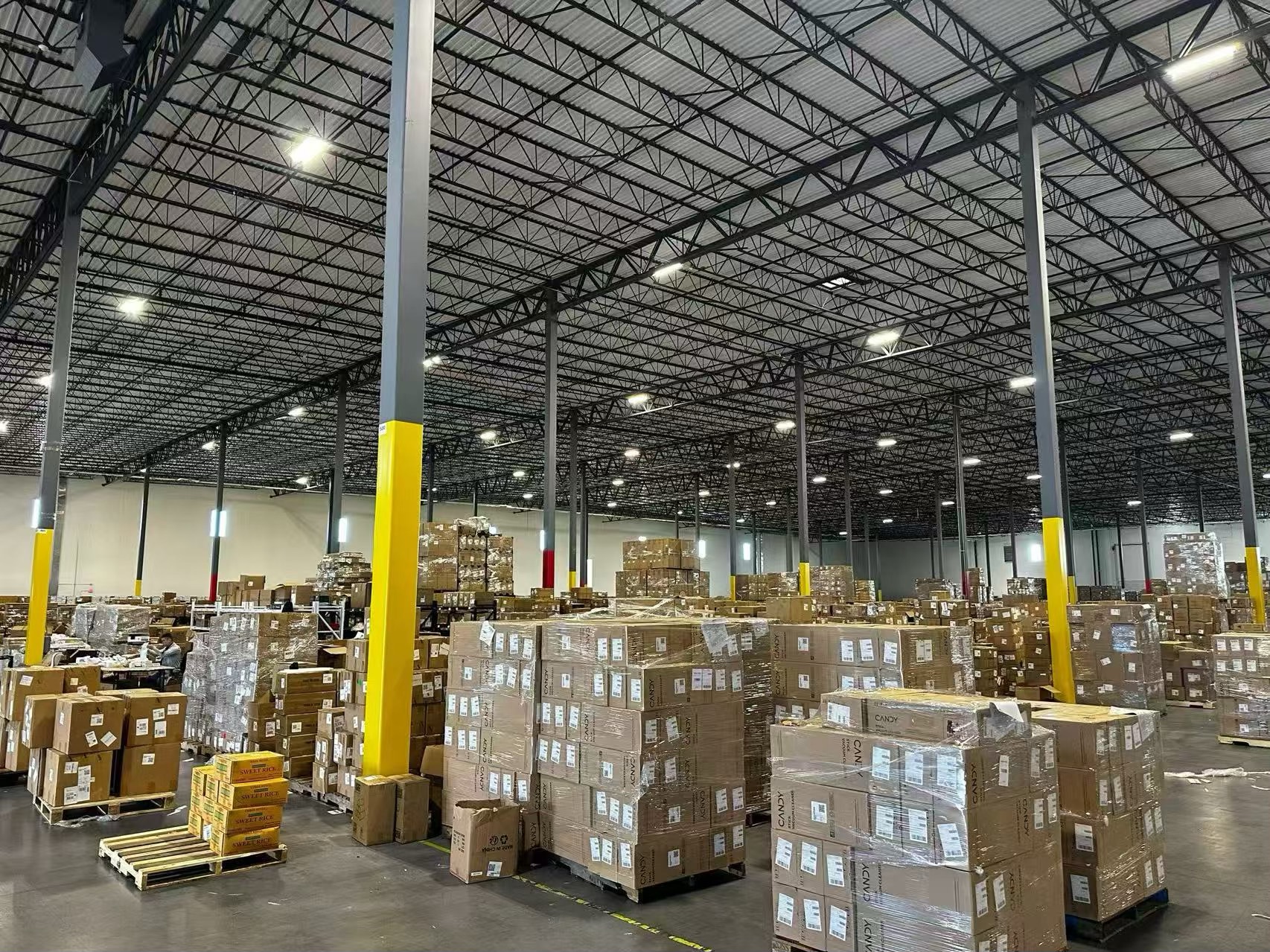
Shopify App Integration for Fulfillment: From Order Sync to Tracking (No Gaps)
A merchant-first breakdown of what should happen after a customer pays: release rules, warehouse execution, confirmation timing, and why tracking sometimes appears late.
Read Full Guide →
Inventory Sync That Prevents Oversell: Locations, Availability, and Reconciliation
How to pick the correct inventory truth, align Shopify locations with warehouses, and keep stock accurate during promotions.
Explore Full Analysis →
Why Tracking Fails: Carrier Mapping, Confirmation Timing, and “Dead Tracking”
The practical reasons customers don’t see tracking (or tracking doesn’t move), and the fixes that reduce support tickets.
Learn the Fixes →Integration Readiness Assessment
If you are choosing a 3PL app or planning a custom Shopify integration, evaluate it by outcomes: order release reliability, inventory accuracy, and tracking speed — plus monitoring for sync gaps. A short readiness review can identify the failure points before they become customer complaints.
Content Attribution & License
General definitions and public references are shared under the CC BY-SA 4.0 License.
Analytical insights and technical interpretations labeled as “WinsBS Research” are original works © WinsBS Research (2025) and licensed exclusively to WinsBS Wiki.
Information verified as of December 2025.